Gizmo Network Manager
See your home network as a living map. Spot every device, mark the ones you trust, check your Internet, share folders and printers, and keep all your computers in step – without typing a single command.
In actionTake a look around
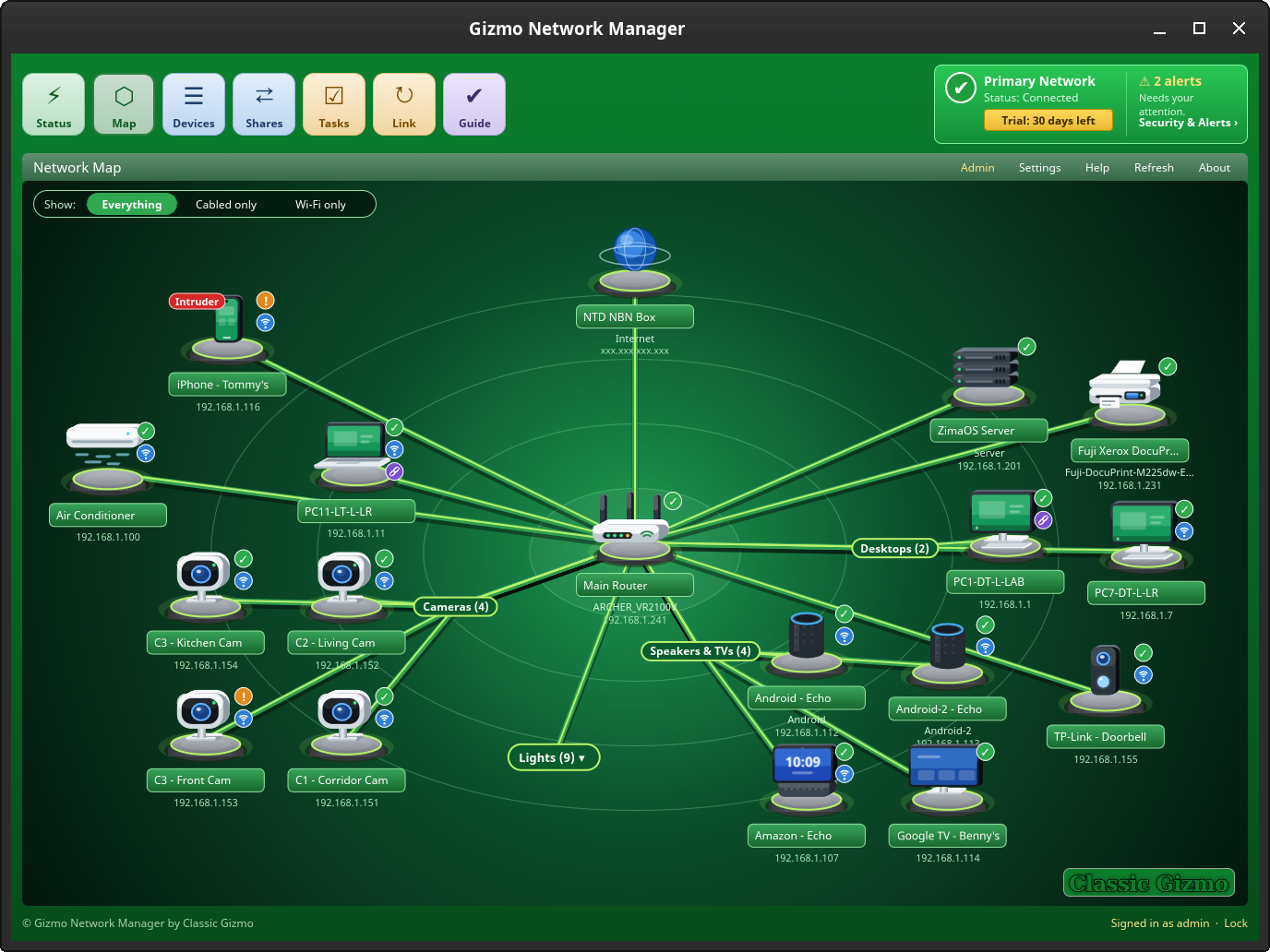
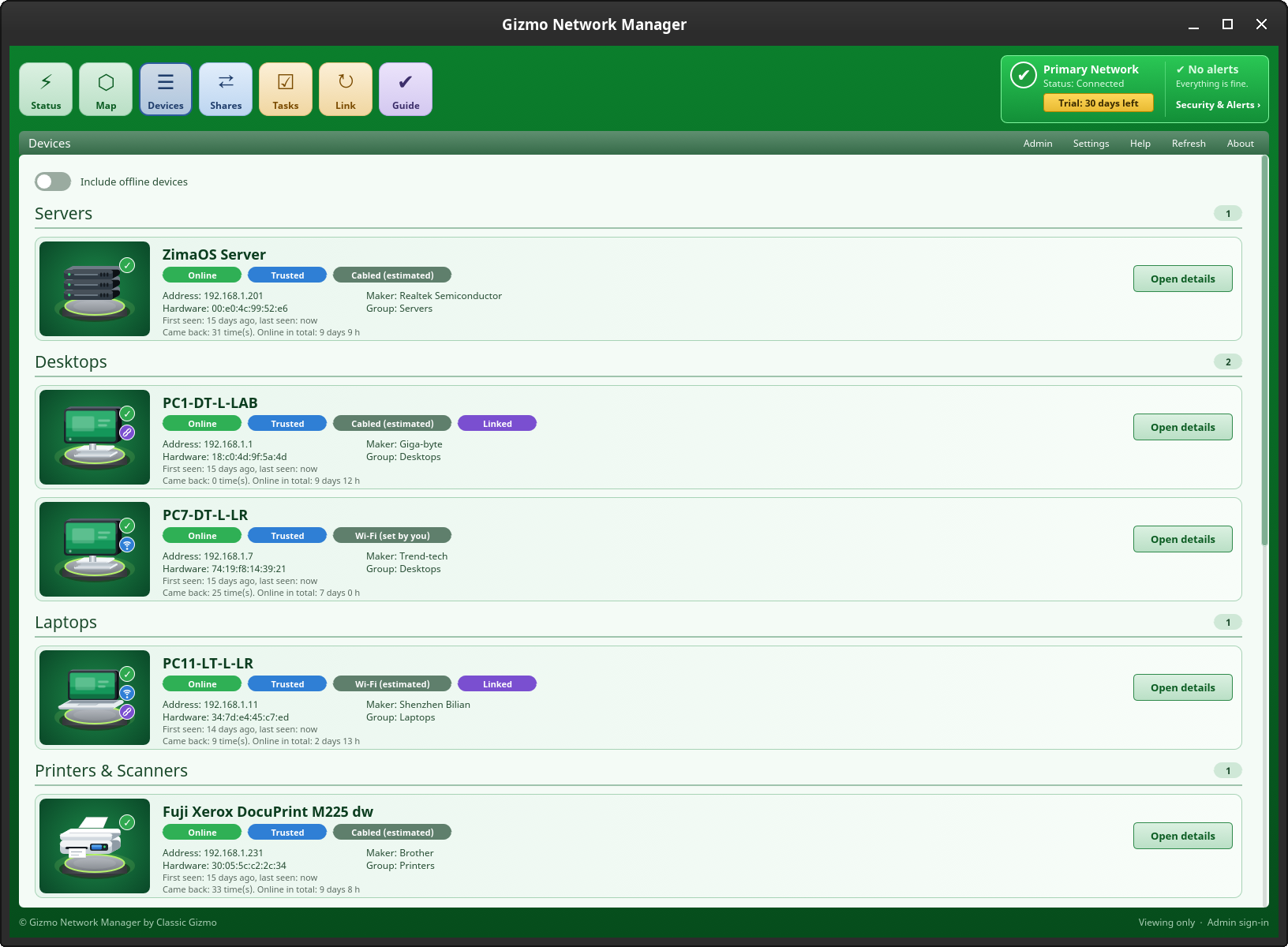
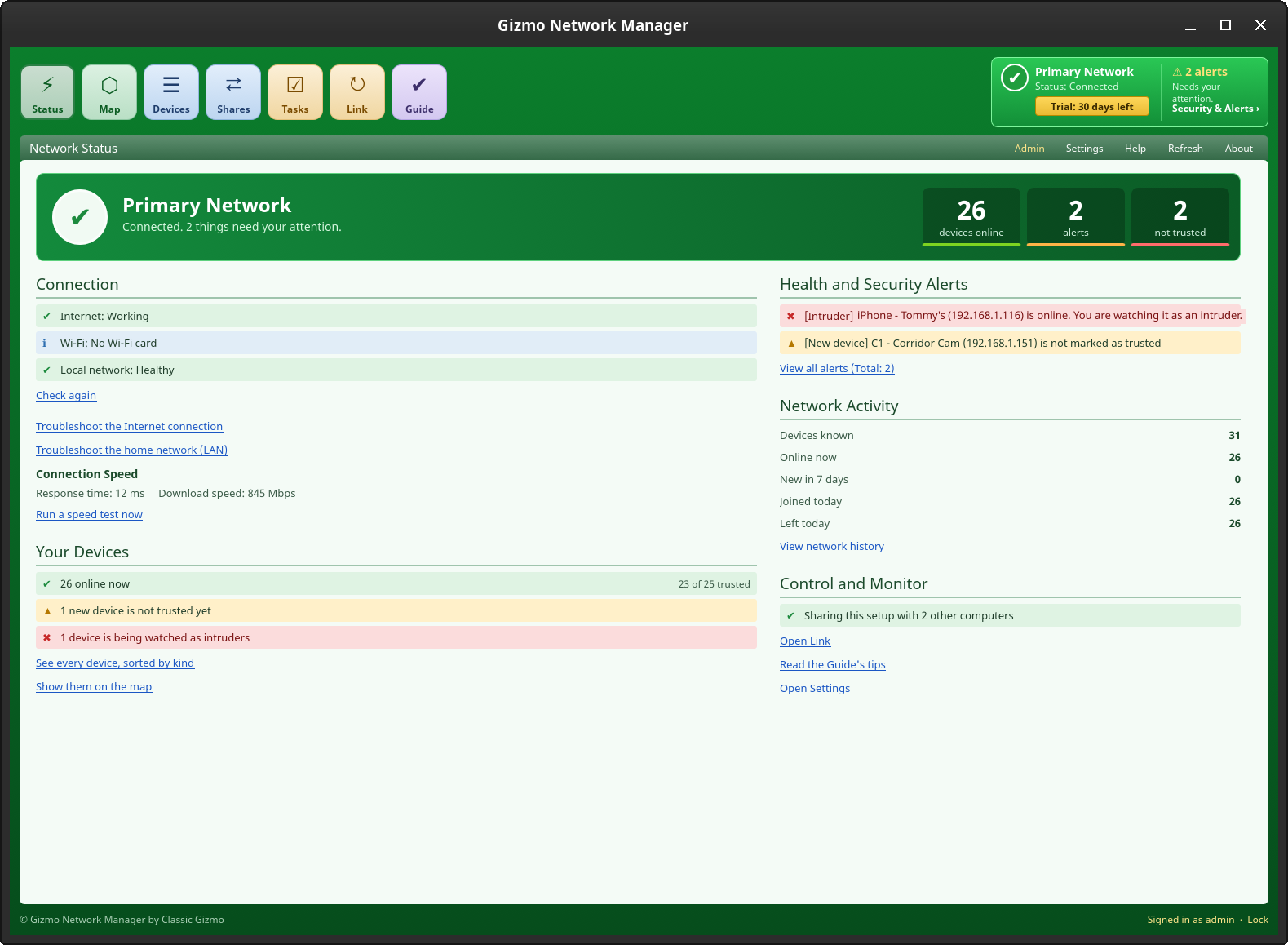
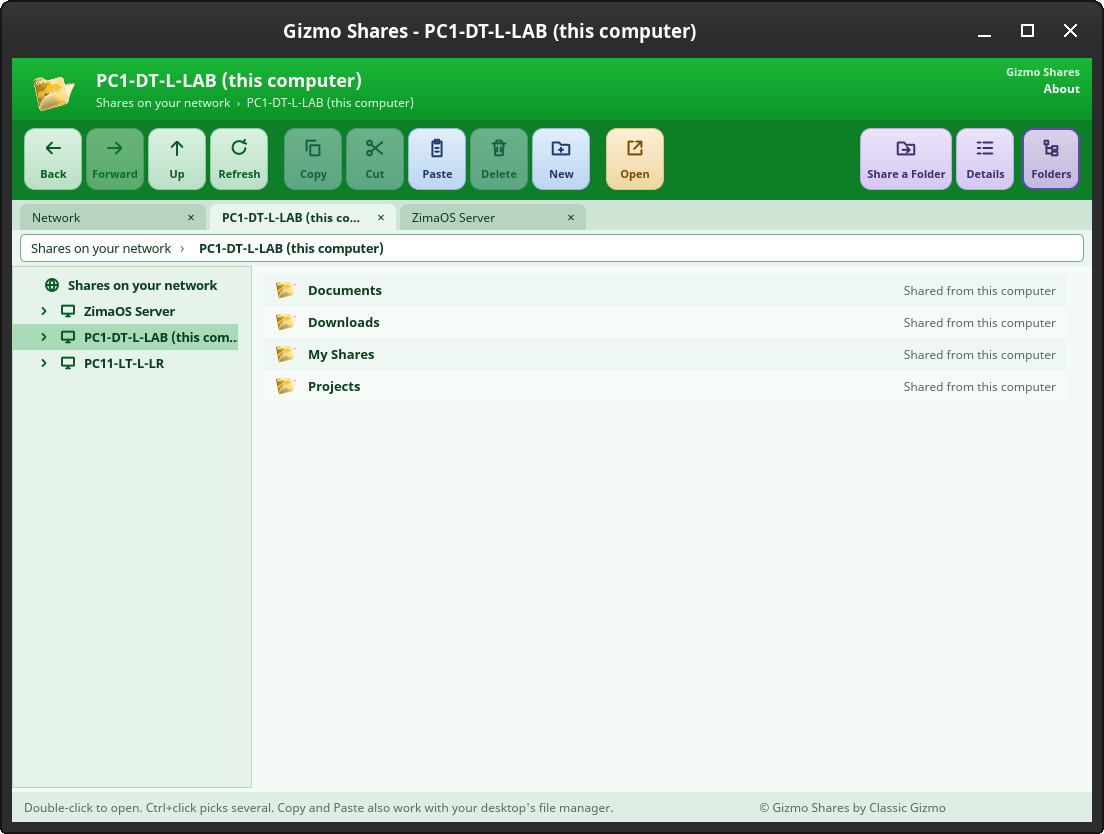
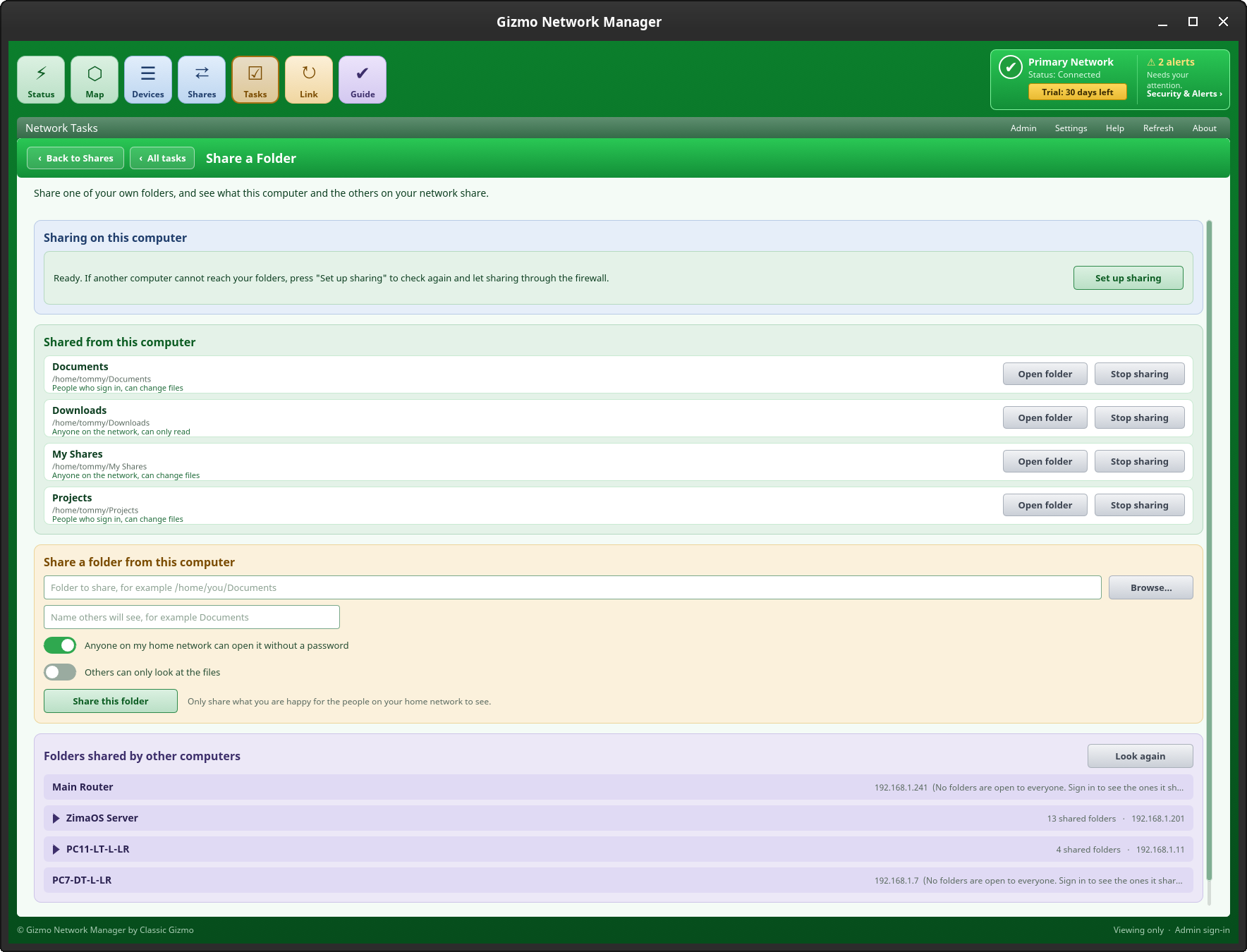
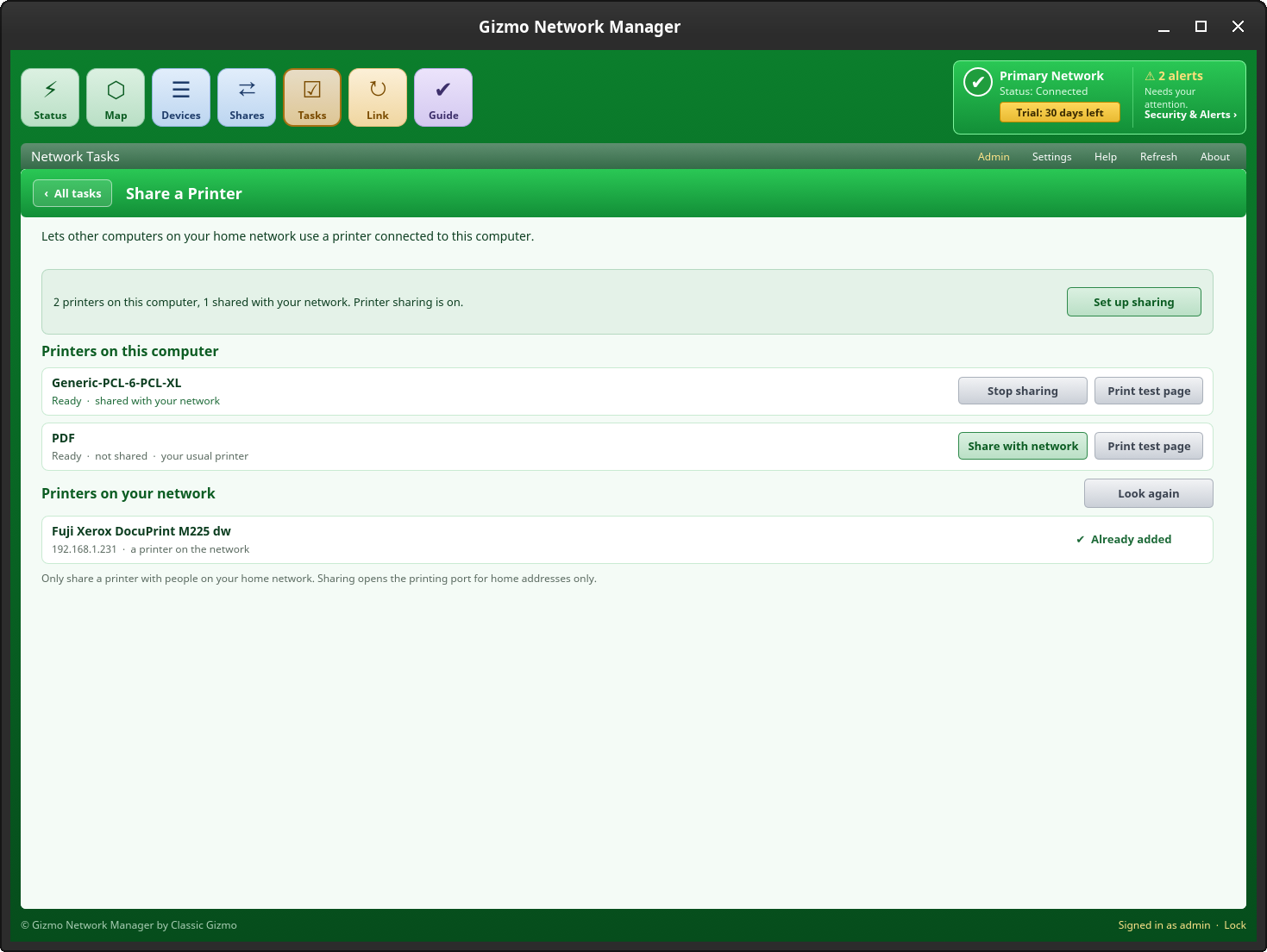
Pictures show a test network. We’re continuing to improve the app with periodic updates.
How it worksThree steps, no jargon
Open it
Start Gizmo Network Manager. It looks at what your computer already knows about its neighbours and draws your network in a moment.
Look around
Every device gets a pad, a name and a maker (Apple, Brother, Raspberry Pi…). Anything you do not recognise stands out.
Decide
Tick the devices you trust, give them friendly names and sort them into groups. Security & Alerts and the Guide tell you what is left to check, and your other computers get the same map.
FeaturesWhat you get
A map you can actually read
No tangle of numbers. The Internet sits at the top, your router in the middle, and each device on its own glowing pad, joined by cables that light up when the device is online.
- Click a name for details, trust and renaming
- Each kind of device has its own picture: computers, laptops, servers, NAS drives, phones, tablets, TVs, media boxes, smart speakers, digital radios, cameras, doorbells, lights, plugs, heaters, air conditioners, repeaters and printers. Not right? Choose a different picture for any device
- Similar devices share one branch of the map, grouped by the words in their names. If it guesses wrong, move a device to another group, or make your own
- Devices you have not seen for a while are greyed out
- Routers, printers and switches get an “Open its web page” link
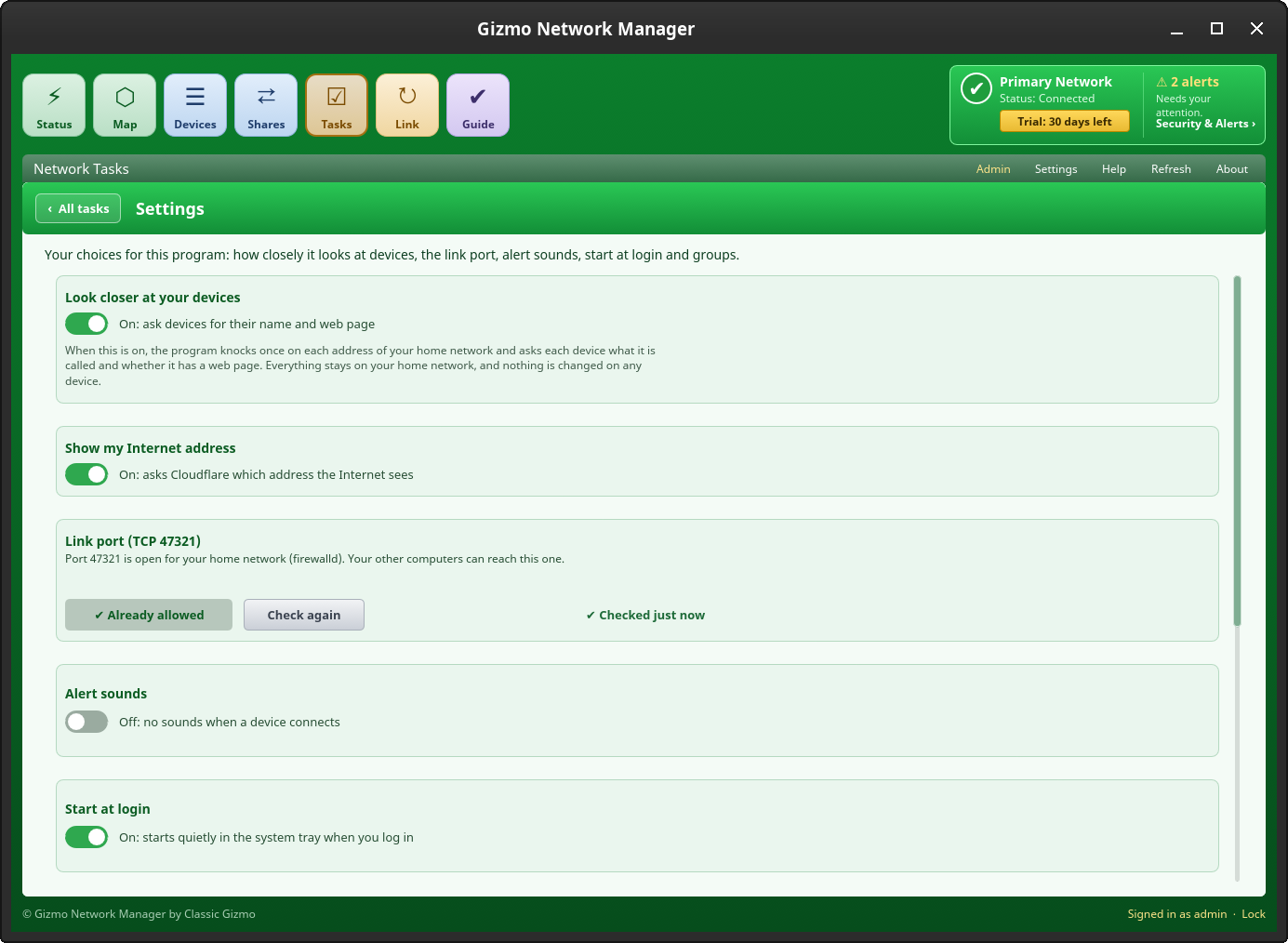
- Your Internet address is shown on the Internet pad, and you can name it, for example “NTD” for your network box
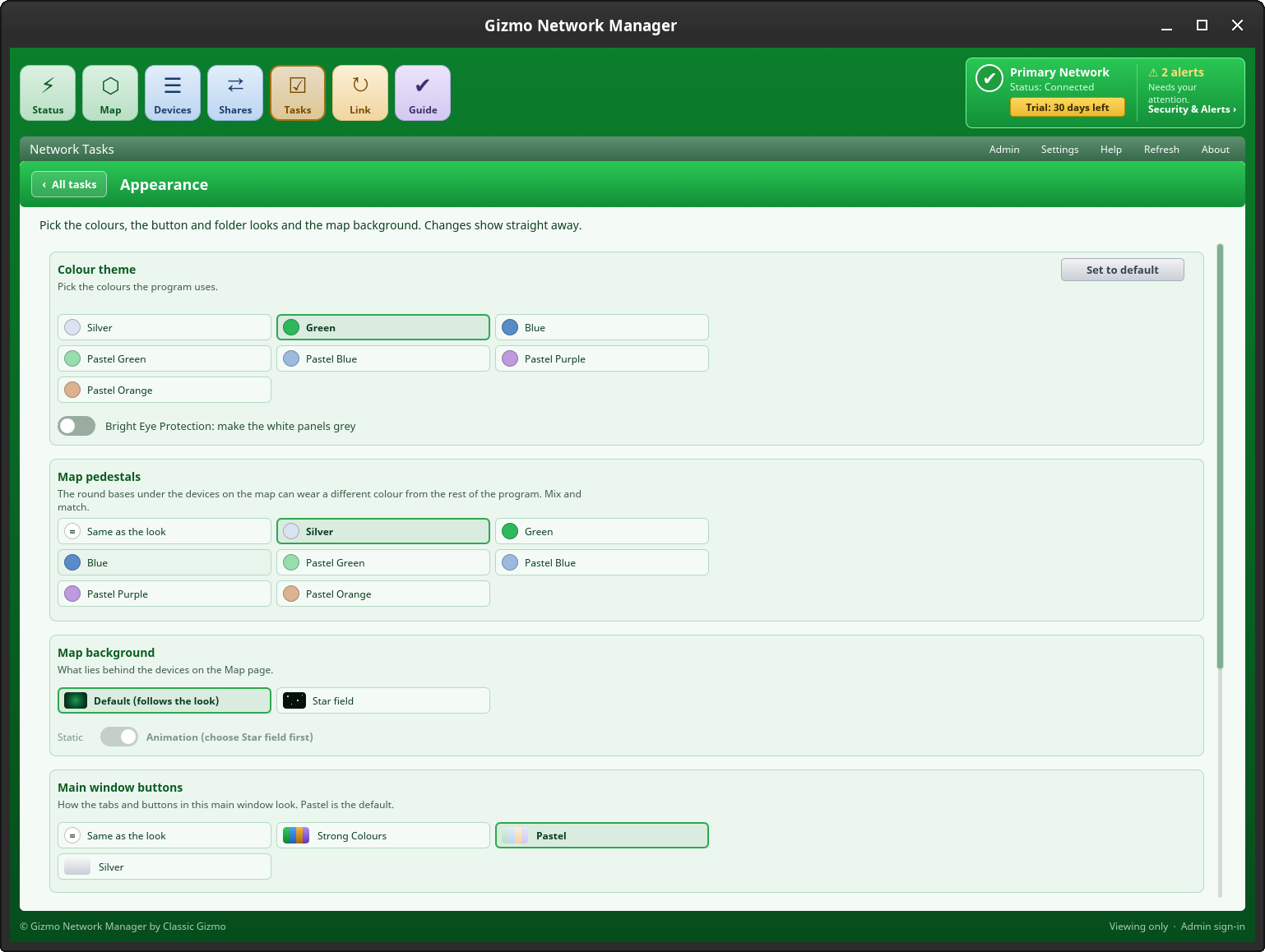
- Prefer a night sky? Choose a star-field backdrop in Settings
Every device, in tidy groups
The Devices tab lists everything on your network in fixed groups: Servers, Desktops, Laptops, Printers & Scanners, Phones, Cameras, Speakers & TVs, Network Gear, Plugs, Lights and more, plus any groups you make yourself.
- Computers and printers get a big card with a picture; the rest are quick rows
- Names are in alphabetical order inside each group
- Shows the operating system of computers running the program, such as Linux Mint, Linux Lite or Windows
- Mark a device as trusted, or watch it as an intruder
- Offline devices stay out of the way until you want to see them
Is it you, or is it the Internet?
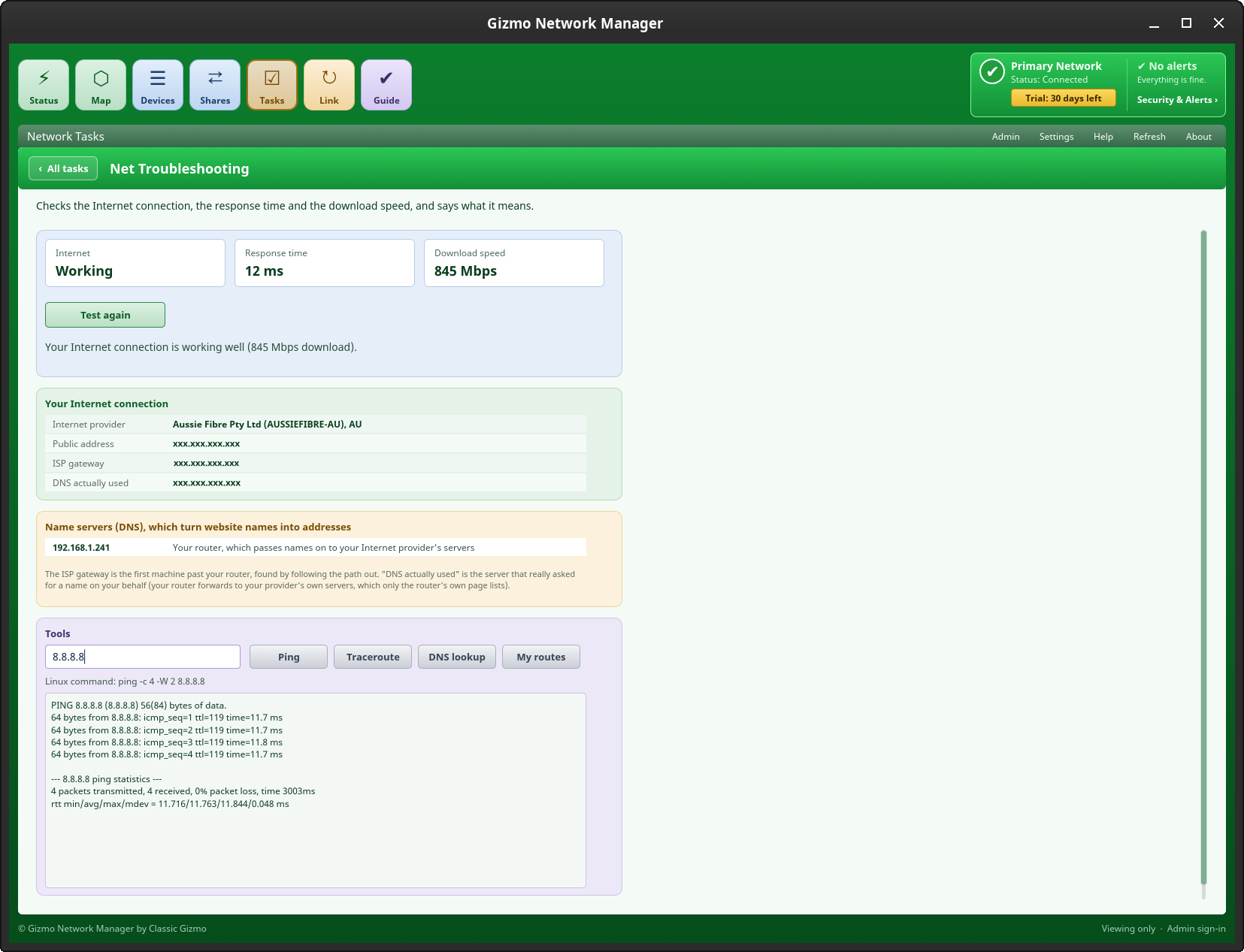
When pages will not load, the Status tab tells you why. It checks that names can be looked up, that the Internet answers and how fast a download runs, then explains the result in a sentence.
- “Working well”, “slow”, “names not found” or “no Internet”
- The speed test runs only when you press the button
- Internet and home-network troubleshooting pages with Ping, Traceroute, DNS lookup and a look at your routes
- A summary of what is online, what is new and what needs your attention
Share folders and printers, and open other computers’ folders
Share a folder or a printer from your computer in a few clicks, with step-by-step help if something is missing. Gizmo Shares then lets you browse everything your computers, servers and NAS drives share, without a command in sight.
- One window with a folder tree, Back, Up, Refresh, Copy, Cut, Paste, Delete and Properties, with up to three tabs
- A Transfers window shows each copy with its progress, and lets you pause or cancel it, one by one or all at once
- Copy and paste work with your desktop’s file manager too, between computers
- Open a file with the program you choose
- Sign in to a computer that needs a password, and remember it safely in your desktop’s password store
- Shares Troubleshooting explains what is stopping a share from working
All your computers, one map
Mark a device as trusted, give it a name or put it in a group on one computer and your other computers know too. No accounts and no cloud: the computers talk straight to each other over your home network.
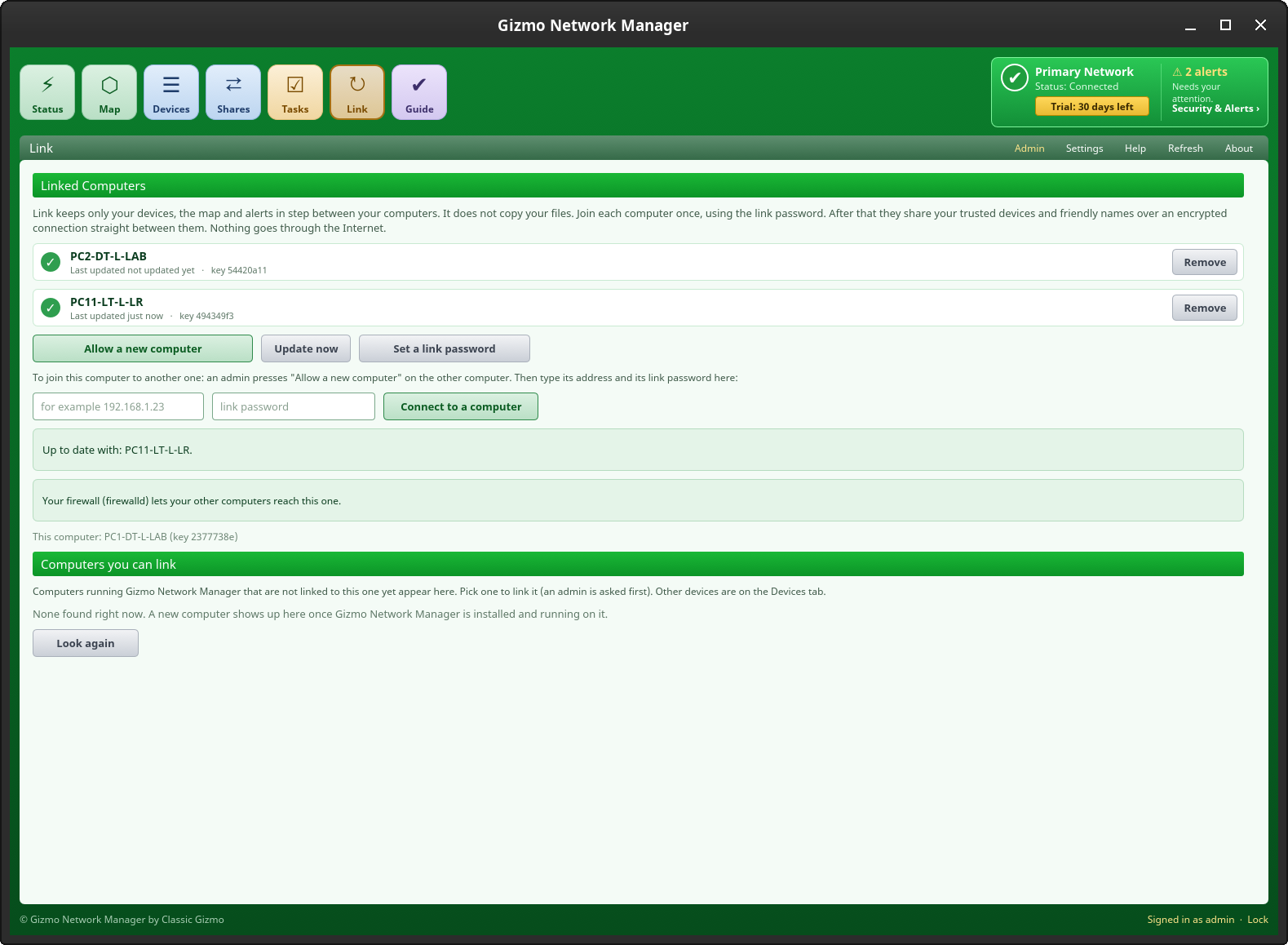
- Join each computer once, with a link password you choose
- Everything between your computers is encrypted
- Each computer tells the others about its own problems, such as a blocked firewall, so you see them all in one place
- Computers running Gizmo Network Manager that are not linked yet are listed on the Link page, ready to add with one click
- A purple link badge on the map and in Devices shows which computers are linked
- Link keeps devices, the map and alerts in step. It does not copy files
- Remove a computer at any time
Keeping an eye on who is there
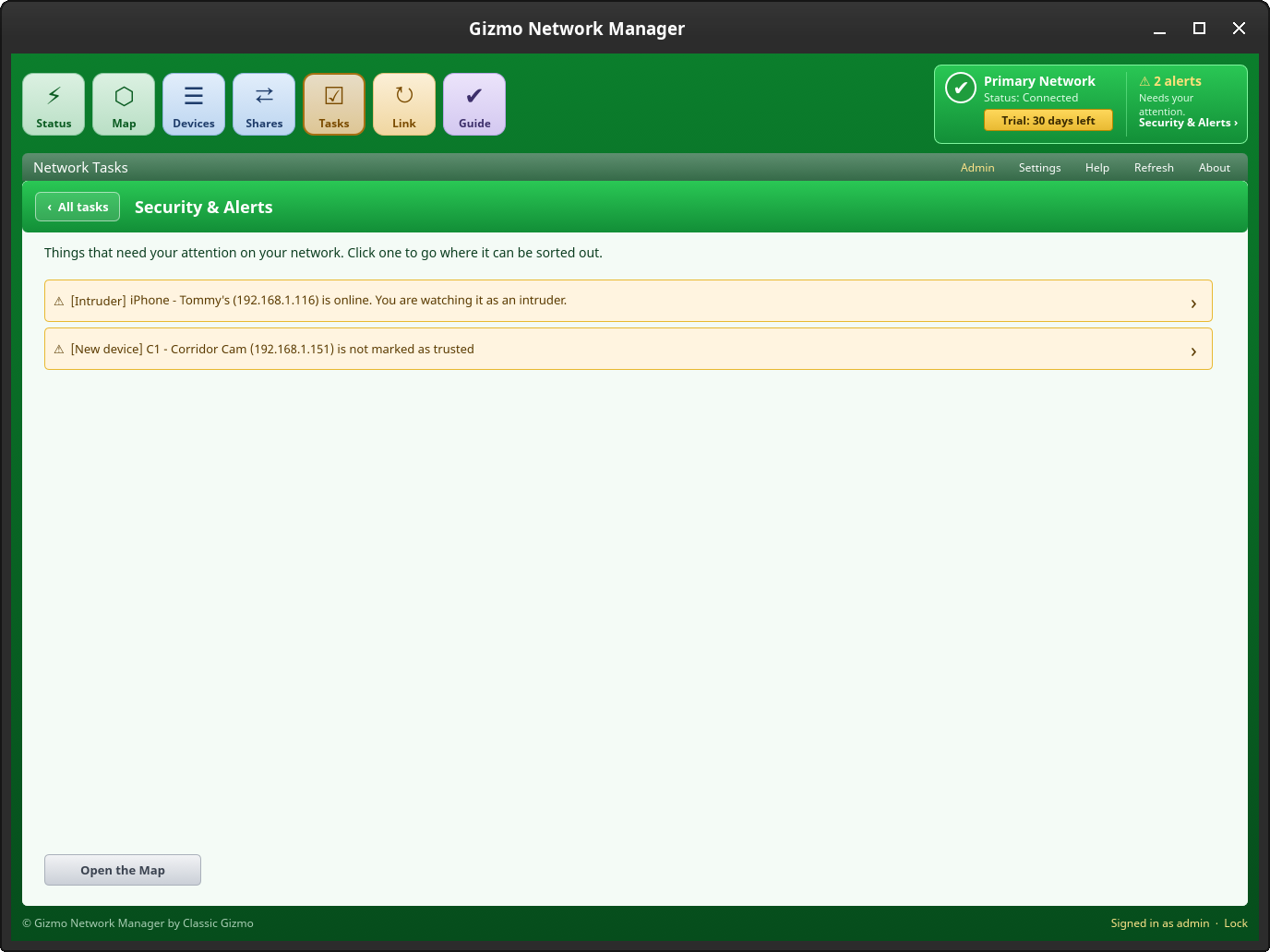
Security & Alerts shows what needs your attention, and Wi-Fi Defence checks the protection of the network you are on.
- New devices you have not approved stand out
- Mark any device as an intruder and hear a siren when it connects; a soft chime tells you about a new device (you can switch sounds off)
- A system-tray icon with a summary, and a desktop message when something new appears
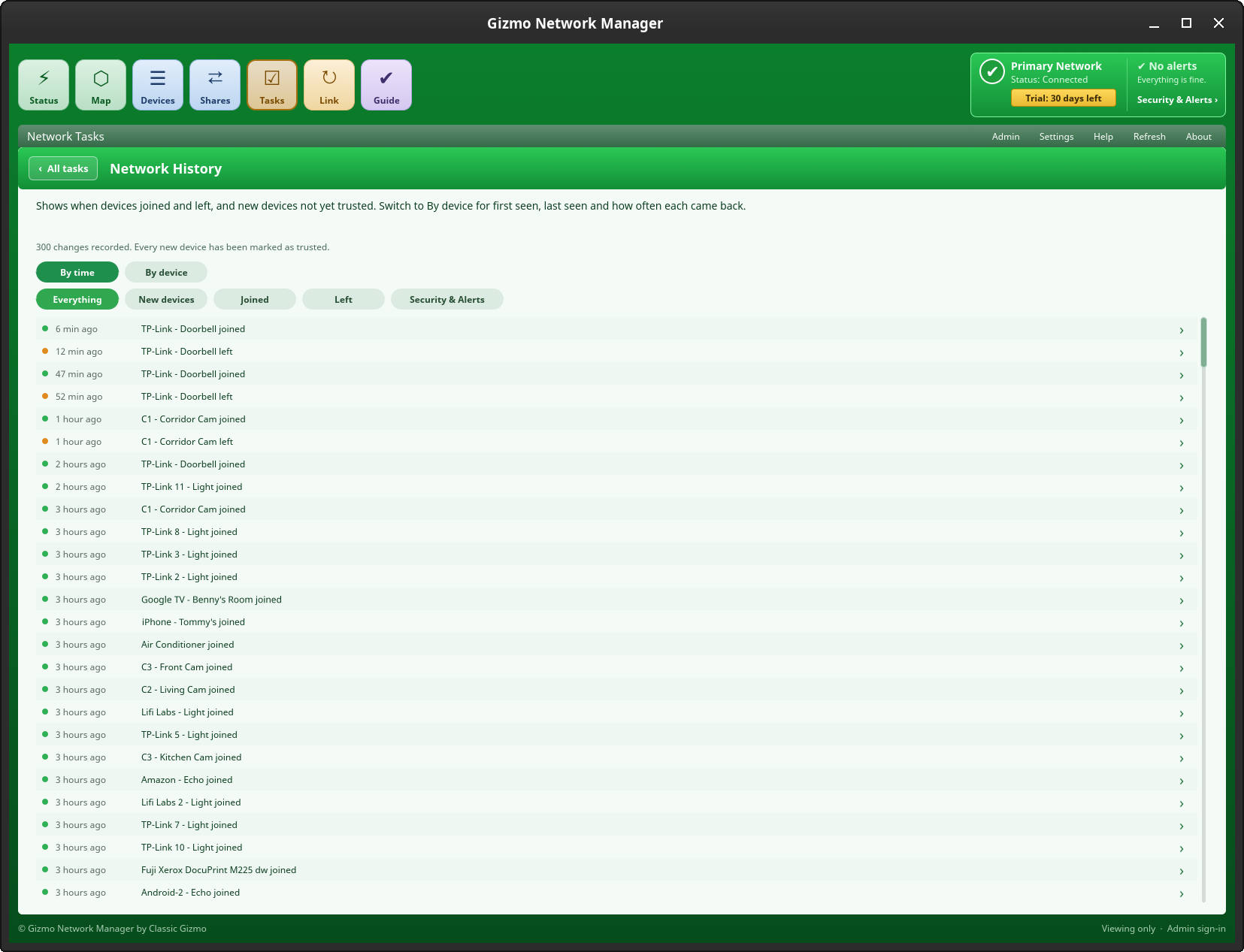
- Network History shows when devices joined and left, by time or by device
- Net Access Control helps you plan when each device may go online, with a hand-holding guide for your router’s own settings
- Add a Device walks you through connecting a new phone, TV or printer, with a code to scan for Wi-Fi
Careful with your front door
If your firewall would block your other computers or file sharing, Gizmo Network Manager says so and offers to fix it. It opens only the door that is needed, for your home network only, and only if you say yes.
- Works with ufw and firewalld
- Asks for your password the normal way
- Nothing is opened to the Internet
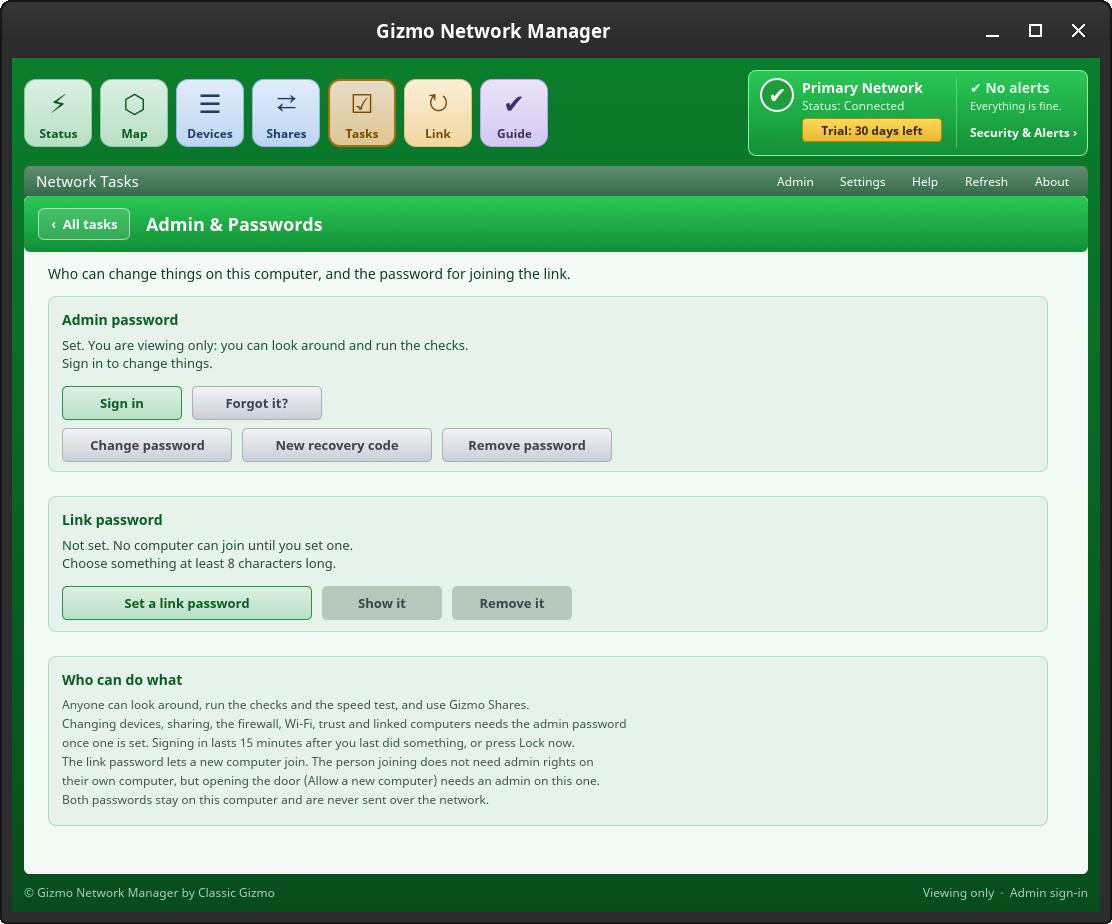
- Changing things needs the admin password, so a visitor can look but not touch
Make it your own
Pick the look you like, from calm greens and silvers to pastels and strong colours.
- Seven colour looks, with matching pedestals, folders and buttons
- A Bright Eye Protection switch that turns white panels light grey
- One button puts everything back to the default look
Peace of mindBuilt to be safe
Written in Rust
A language that rules out whole families of security bugs found in older programs.
Looks, never pokes
It asks the devices on your home network for their name and web page, and nothing else. It never changes a device, and an off switch in Settings returns it to reading only what your computer already knows.
Online only when you ask
The speed test runs only when you press its button. The one other request asks Cloudflare which Internet address you appear as, and you can switch that off in Settings. After you buy, the program checks your licence now and then. Nothing is sent about your devices.
Private by design
No account, no cloud copy of your map. Your trusted devices and names live in a small file on your own computers.
Approved, then encrypted
Computers join each other once with a link password that is never sent over the network. After that they talk over an encrypted connection that stays on your home network.
Asks before it acts
Changes such as sharing a folder or opening a firewall door need your password, and only happen if you agree. An admin password stops visitors changing things.
RoadmapHere now, and what comes next
In version 1
- The Network Map and the Devices tab, with groups, trust, friendly names and pictures
- Maker and operating-system names for devices
- Internet check, speed test and troubleshooting tools
- Security & Alerts, intruder watching, alert sounds and a tray icon
- Gizmo Shares, Share a Folder and Share a Printer
- Link between your computers (devices, map and alerts)
- Network History, Wi-Fi Defence, Net Access Control and Add a Device
- Admin and link passwords
- Colour looks and button styles
- Packages that check for missing system parts
Planned for later
- A Windows version, using the same program
- A Mac version
- A Centralised Enterprise version for larger networks, managed from one controller (the Small Business Licence already covers up to 30 installs)
LicenceTry it, then keep it
Free for 30 days, no sign-up and no payment details to start, with every feature available.
Then a once-off lifetime licence for version 1, with no subscription and every 1.x.x update included. One licence covers every install on your network, up to the size you choose:
Home Licence
Up to 10 installs
US$49.95 once-off
Small Business Licence
Up to 30 installs
US$99.95 once-off
Buy a licence – from US$49.95Free trial download
Pay by card or PayPal. Payments are processed by Lemon Squeezy (a Stripe company), our payment processor and merchant of record, which also emails you your licence key straight away. Your card statement will show LEMSQZY* CLASSICGIZMO. Paste the key into the program under Help & Info → Licence & Activation and press Activate. If it is not right for you, ask for a refund within 14 days: see Refunds.
InstallDownload and install
Two packages, for most Linux computers. One for Debian, Ubuntu, Linux Mint and Linux Lite families, and one for Arch-based systems such as Arch, Manjaro and CachyOS. Gizmo Network Manager checks your computer for any missing parts, such as file-sharing and printing tools, and offers to install them for you.
Download for Debian, Ubuntu & Mint (.deb)Download for Arch (.pkg.tar.xz)
Debian, Ubuntu and Linux Mint families:
cd ~/Downloads
sudo apt install ./gizmo-network-manager_1.0.3-10_amd64.deb
Arch-based systems:
cd ~/Downloads
sudo pacman -U gizmo-network-manager-1.0.3-10-x86_64.pkg.tar.xz
Current version: 1.0.3.10. See what changed in each version.
You are asked for your password the normal way. Installing puts Gizmo Network Manager and Gizmo Shares icons on your desktop, adds Gizmo Shares to your panel (XFCE, GNOME and Cinnamon) and starts the program quietly in the system tray. Questions? Email contactus@classicgizmo.com.
QuestionsGood to know
Will it find every device on my network?
It finds the devices that answer on your home network, which is most of a typical home. It knocks once on each address and asks for a name and a web page; a very quiet device may stay hidden, and pressing Refresh looks again. You can switch this off in Settings.
Does it change anything on my router?
No. It only looks. Trusting a device or giving it a name is saved on your computers, not on the router.
How do my computers find each other?
On the Link tab, press “Allow a new computer” on one, then type its address and your link password on the other. After that they link up by themselves whenever both are on, and the Link page also lists computers with Gizmo Network Manager that are not linked yet. Link uses port 47321 on your home network, and the program offers to open it in your firewall.
What does the speed test download?
A test file of about 100 MB, only when you press the button. The program also looks up classicgizmo.com to check that name lookups work.
Can it see my Windows computers’ shared folders?
Yes. Gizmo Shares lists folders shared over standard Windows file sharing (SMB) by Windows PCs, Linux computers, servers and NAS drives. A computer that needs a login asks for one, and you can have the program remember it safely.
How many computers does a licence cover?
The Home Licence covers up to 10 installs and the Small Business Licence up to 30, on any operating system on your network. Moving to a new computer is easy: press Deactivate on the old one and use the same key on the new one. The program checks the licence about once a week when it is online, and works offline in between.
What if I change my mind after buying?
Ask within 14 days of buying and you get a full refund, after the 30-day free trial has already let you try everything. See Refunds.
What about Windows and Mac?
Windows is planned, using the same program. A Mac version may follow later.
Questions or ideas? Email contactus@classicgizmo.com and tell us which distribution you use.