Gizmo App Manager ▲
One window and one tray icon for the software on your Linux desktop. It looks after Flatpak apps, APT packages and Pacman/AUR packages, tells you when updates are waiting, and lets you update, install and remove – no terminal needed.
Try it, then keep it
Coming soon. Gizmo App Manager is finished and in final testing; the download and the licence shop open shortly. When they do: free for 30 days, no sign-up and no payment details to start, with every feature available.
Then US$24.95, once. A lifetime licence for version 1 with no subscription, and every 1.x.x update and fix is included. One key works on 2 computers at the same time, and you can move it to another computer whenever you like.
Buy a licence – coming soonFree trial download – coming soon
Payment will be handled securely by an online payment provider, which also emails you your licence key straight away. Paste the key into the app under Help & Info → Licence & Activation and press Activate.
Download and install
Coming soon. The installer will work on most distributions – Debian/Ubuntu, Linux Mint, Linux Lite, Fedora, Arch and openSUSE families – and installs into your home folder. The app uses the package managers it finds (Flatpak, APT, Pacman) and hides the tabs for the ones your computer doesn't have.
Download installer – coming soon
Questions in the meantime? Email contactus@classicgizmo.com and we'll tell you as soon as it's ready.
What you get
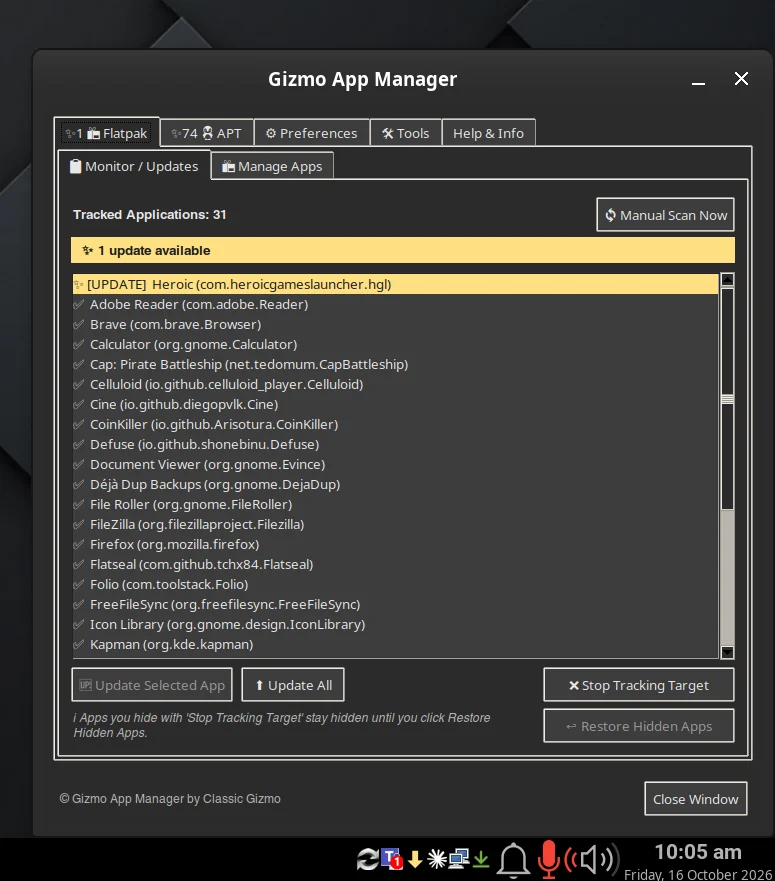
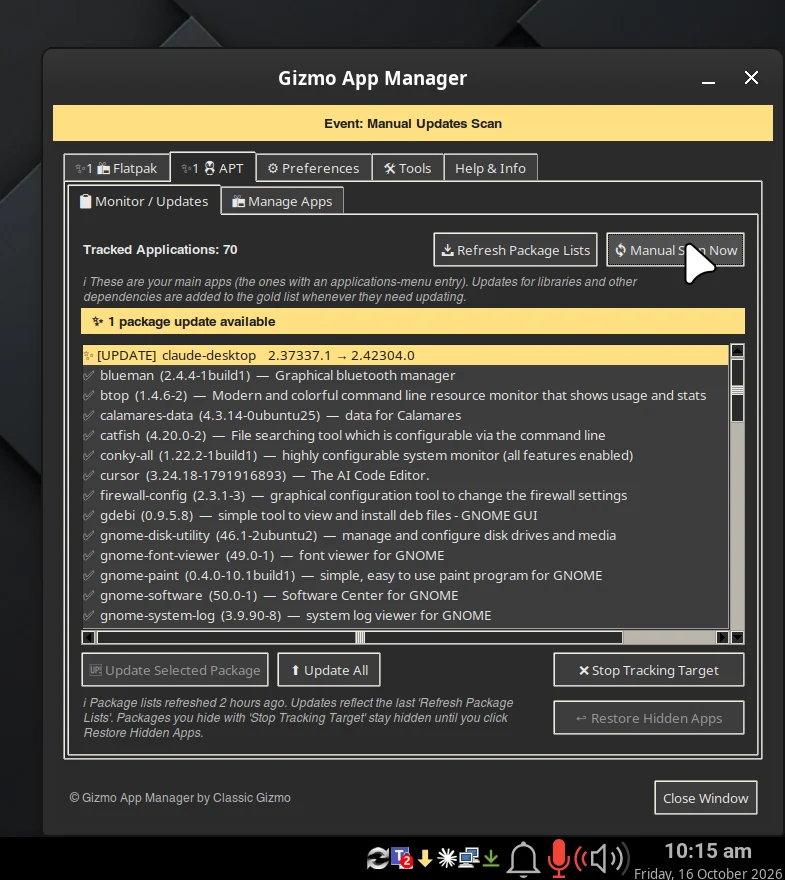
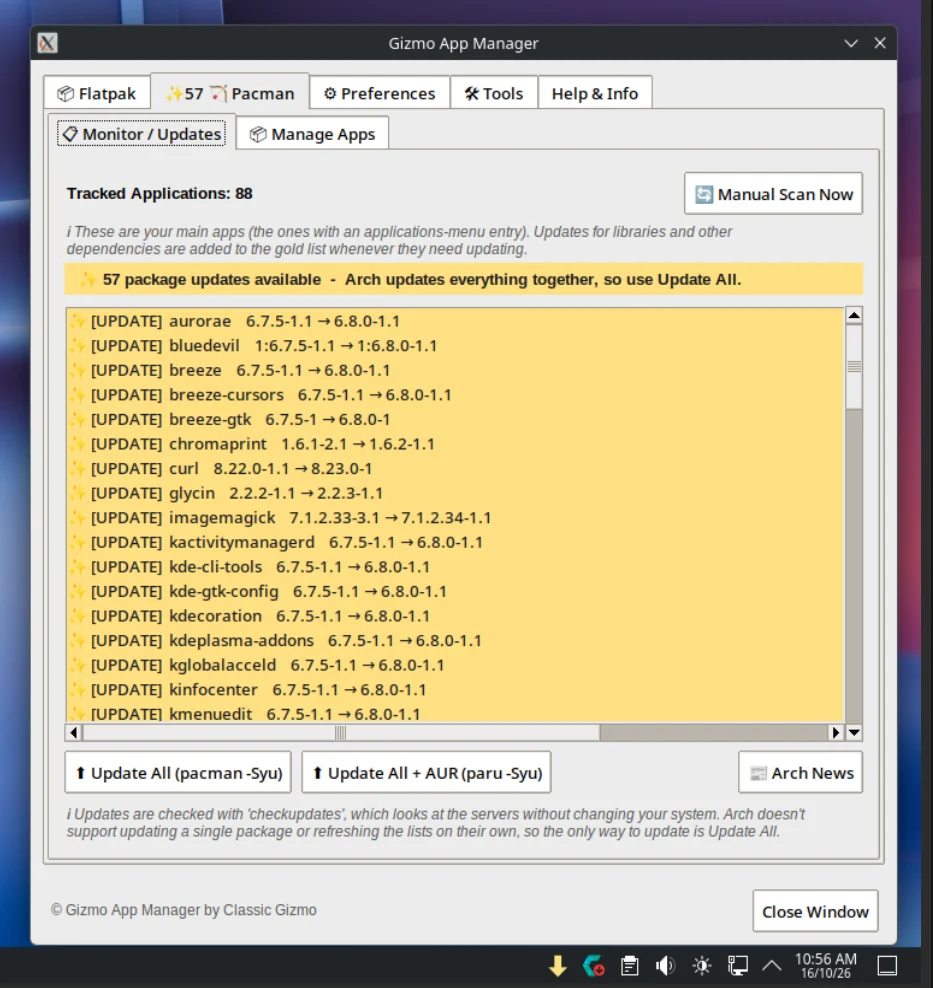
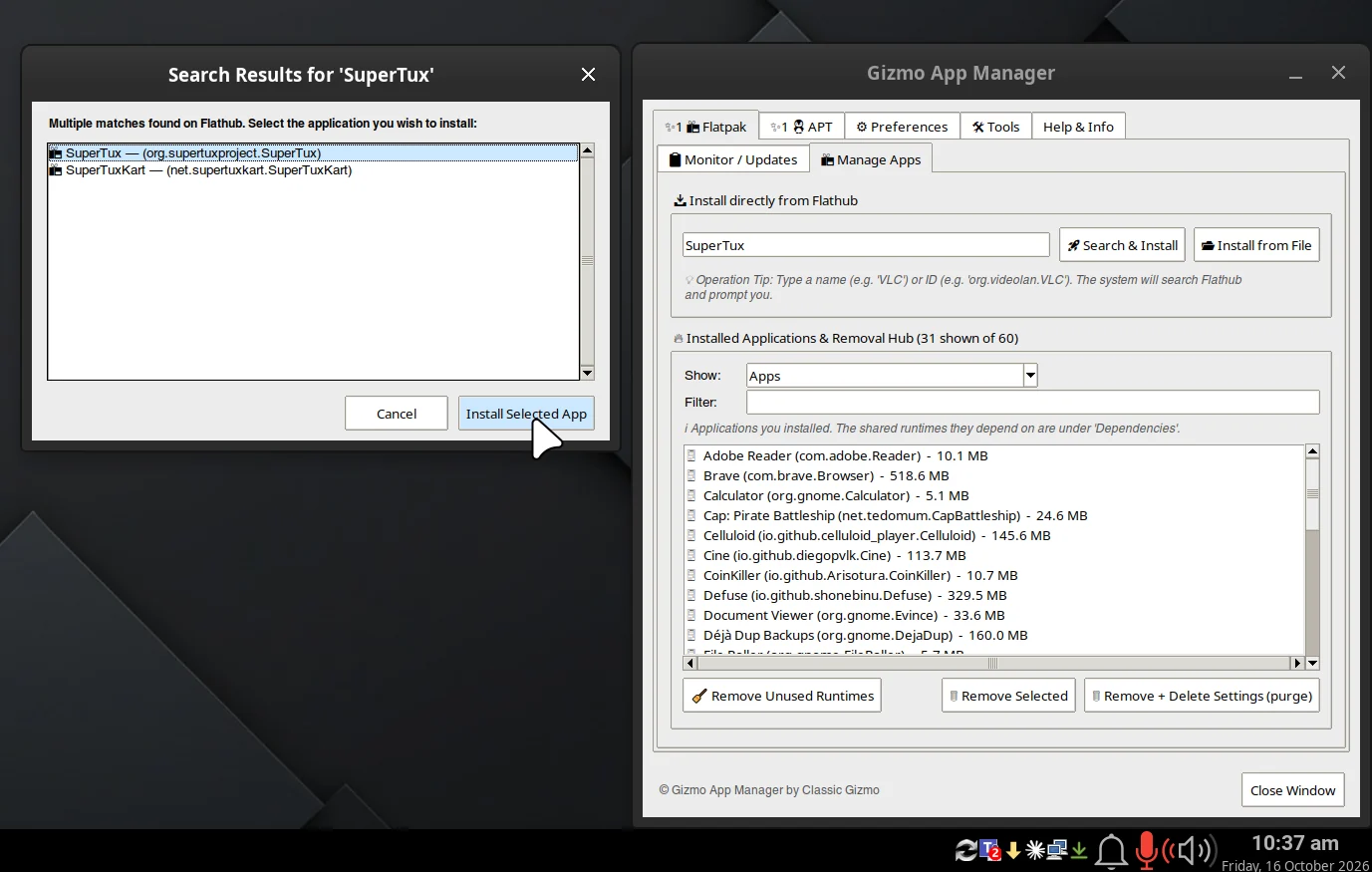
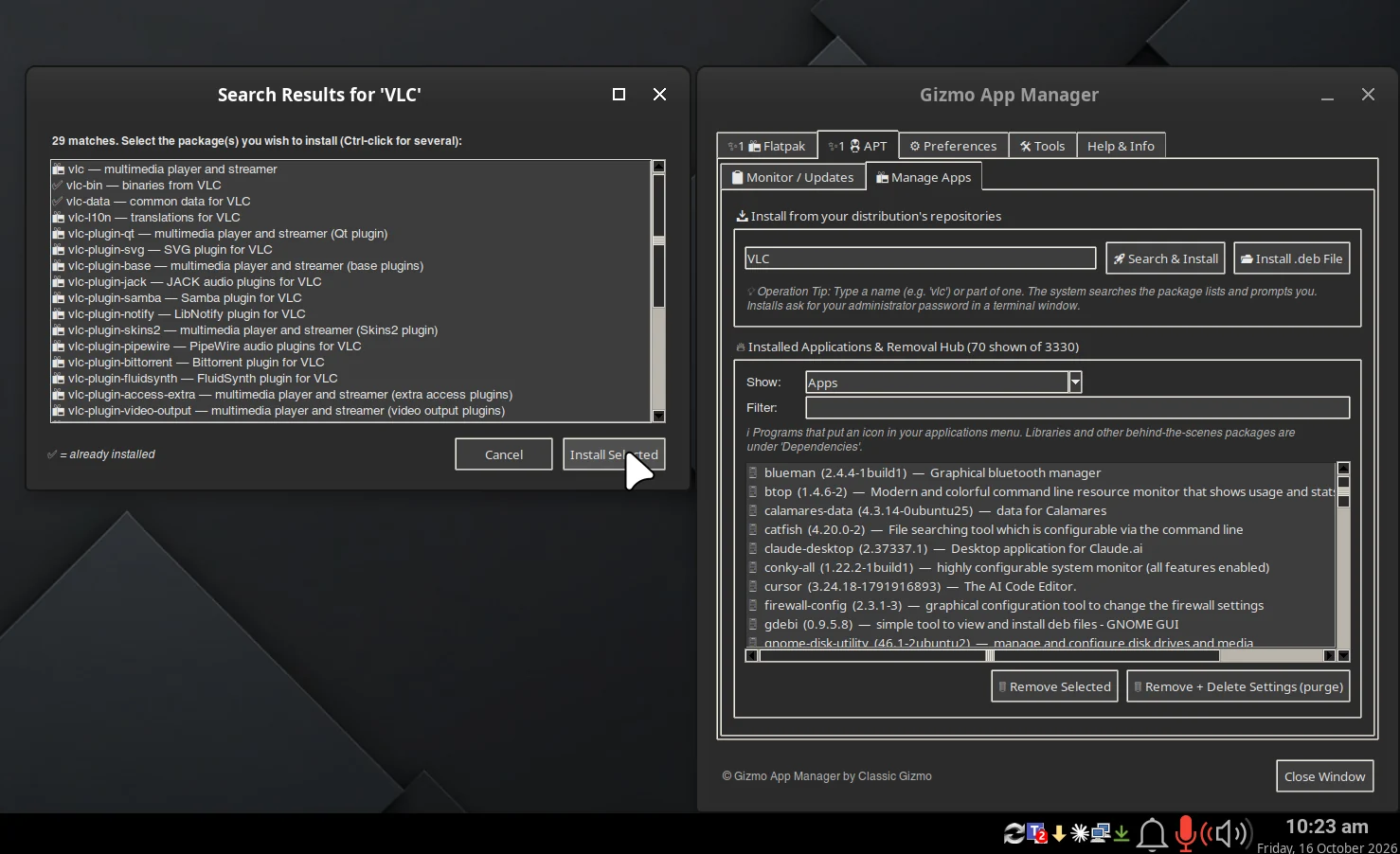
One window
Flatpak, APT and Pacman/AUR side by side, laid out the same way.
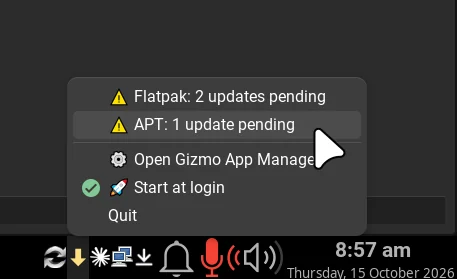
Tray monitor
The arrow turns gold when updates are waiting.
Monitor / Updates
Updates listed first, apps you use next. Tick the ones you want, or press Update All.
Manage Apps
Browse, filter, install and cleanly remove apps, including unused runtimes.
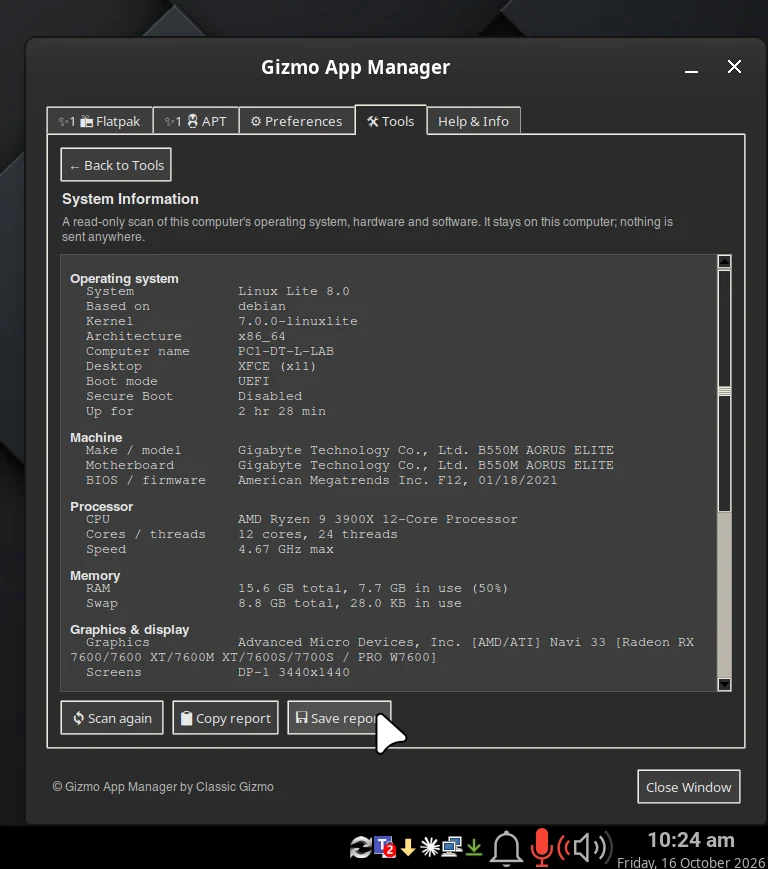
System Information
A scan of your operating system and hardware, ready to copy when you need help.
Light or dark
Pick the theme and text size that suit your desktop.
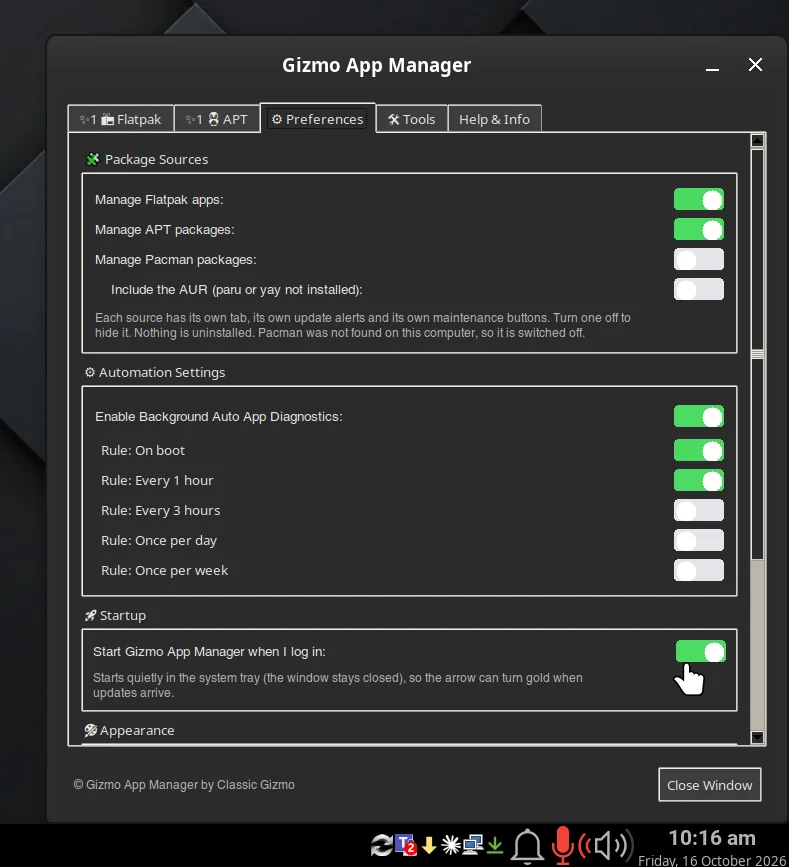
Quiet in the background
Automatic checks, start at login and desktop notifications, all optional.
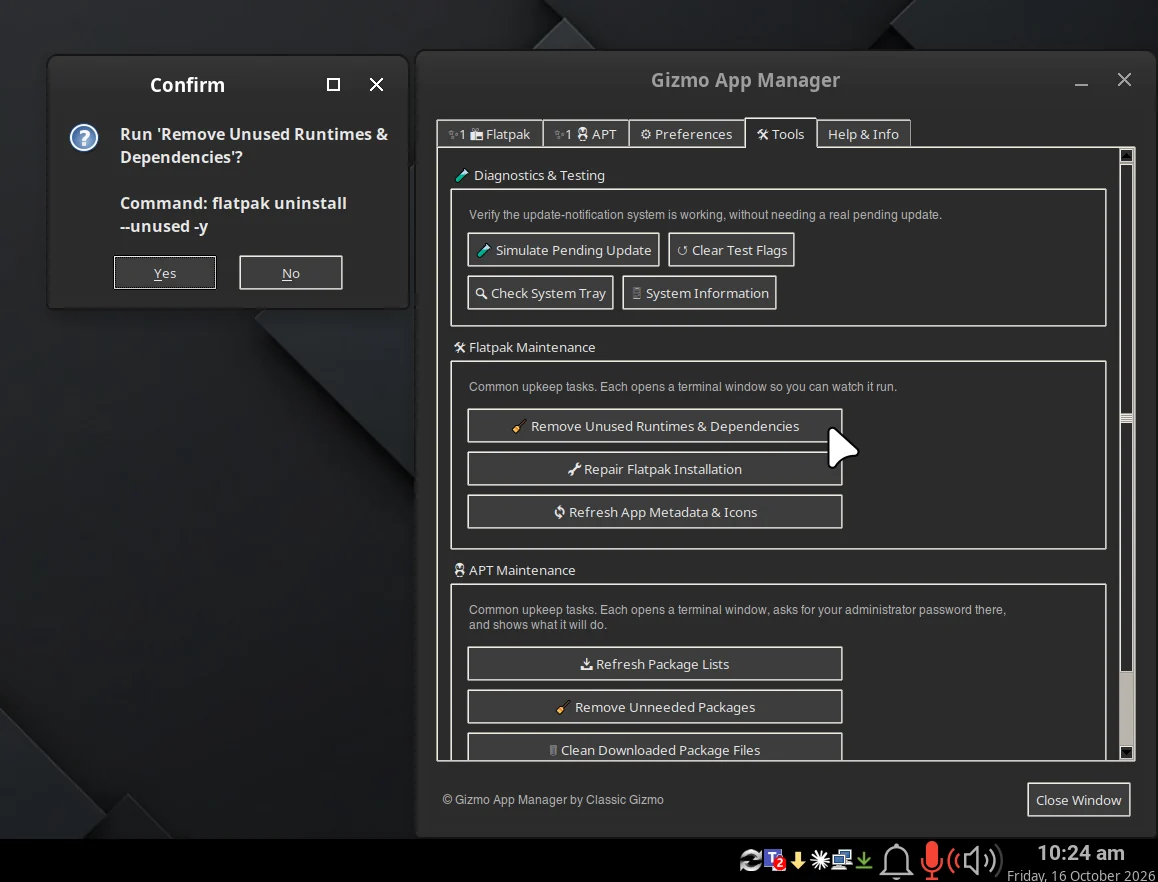
Maintenance tools
Repair, clean up and fix broken installs in one click.
How the licence works
After the 30-day trial, Gizmo App Manager stops managing packages until you activate a licence. Nothing on your computer is changed or removed.
2 computers, moveable. Each computer you use it on needs the key activated on it. To move to a new computer, press Deactivate on the old one, then activate the same key on the new one.
Version 1, for life. Your licence covers every release numbered 1.x.x, including all updates, fixes and new features released within version 1. If a later major version (2.0 and above) is ever released, it may be sold separately.
Works offline. After activation the app re-checks about once a week when you're online, and keeps working for up to 30 days if you aren't.
Privacy: licence checks send only your licence key, an activation ID and the computer's name to our licence provider. The free trial needs no internet connection and sends nothing. The full terms are in the End User License Agreement inside the app, under Help & Info.
Questions before you buy? email contactus@classicgizmo.com and tell us which distribution you use.